 Skip to main content
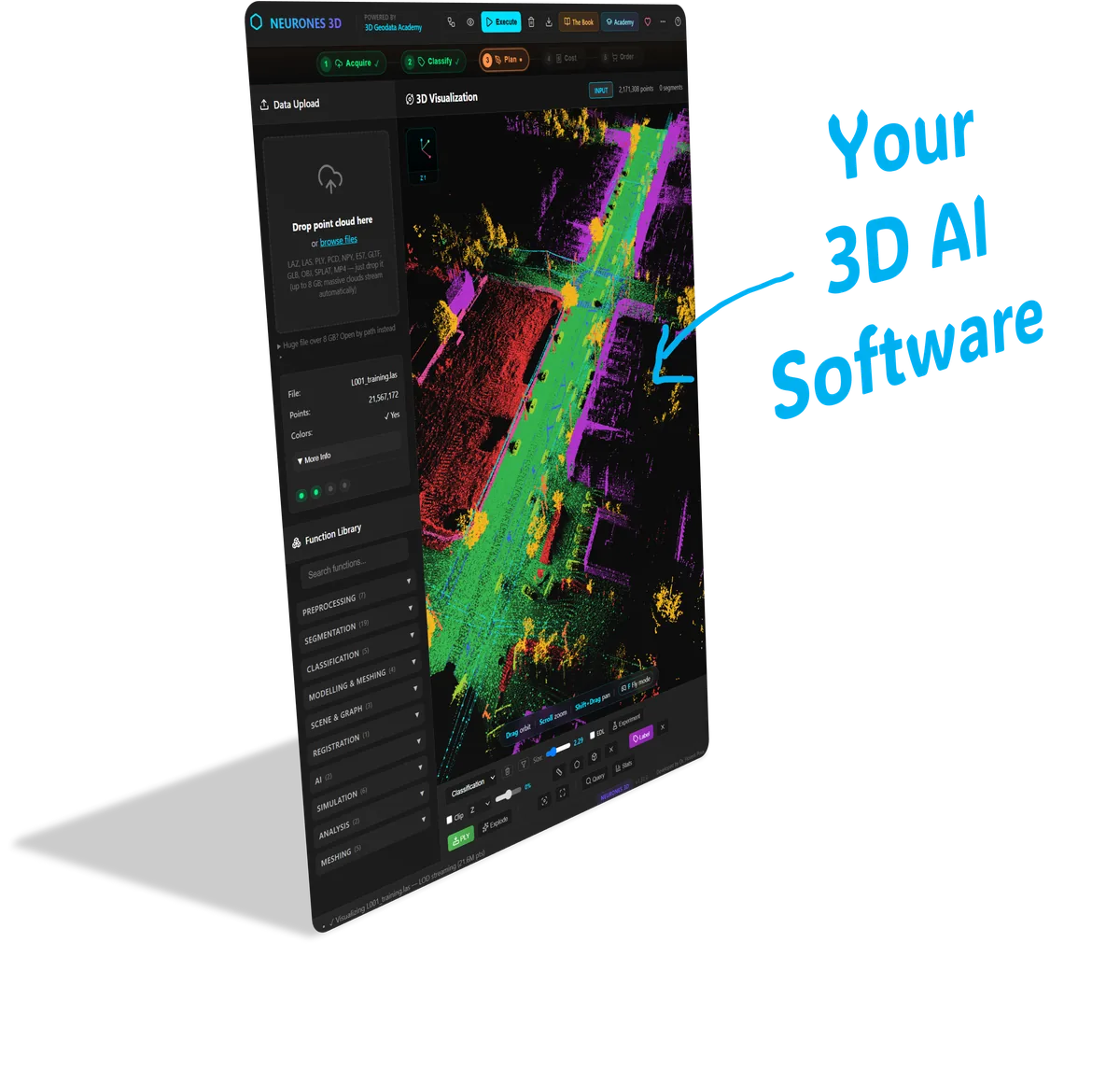
Four 3D systems.
Run. Learn. Own.
The app, the code, and the teaching. No coding needed to start.
Let me walk you through it
Before you decide, watch this short walk-through. I open up the four systems and show how they fit together, so you can see exactly what lands in your hands.
3D Forge walk-through · Dr. Florent Poux
Four systems, one app. Yours to keep.
One app runs all four systems from the first minute, no code required to use it. The full source of each ships alongside, with a walkthrough of how it works, so you use it today and make it your own whenever you are ready.
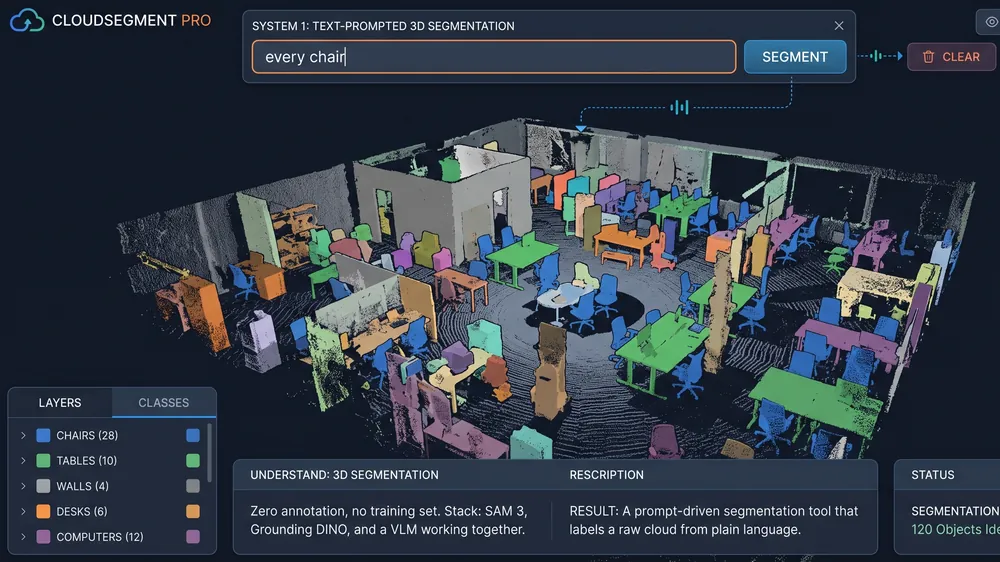
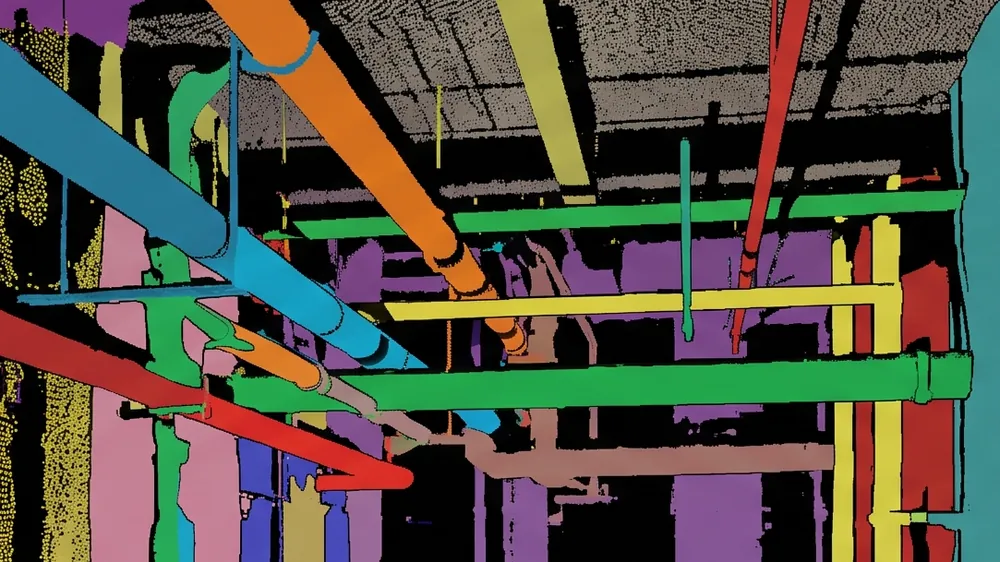
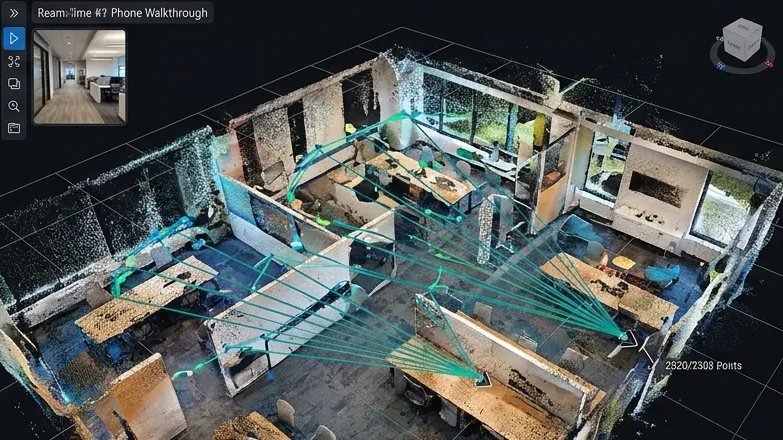
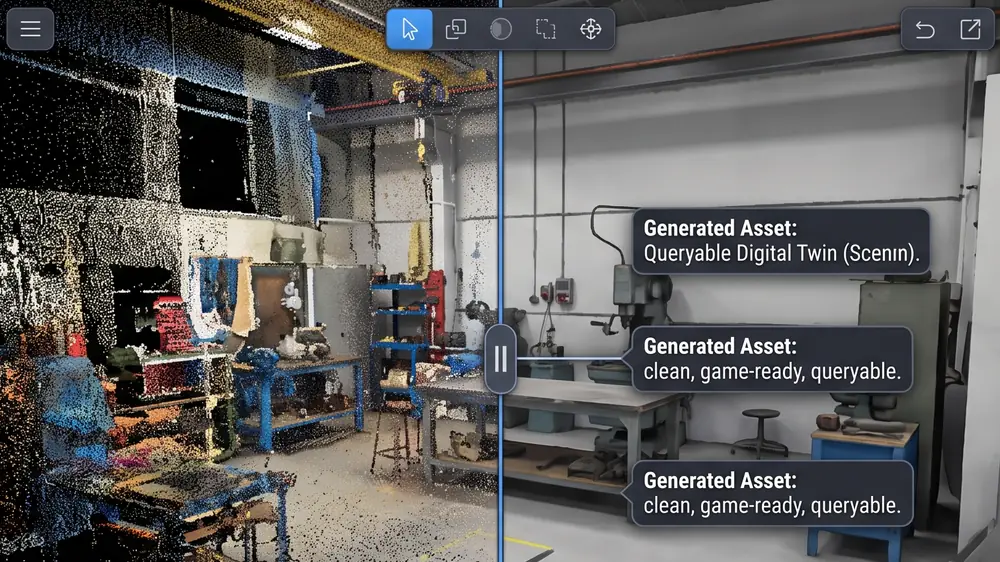
Software you run today. The code to own it. The know-how to drive it.
People keep asking: is it software, an SDK, or a course? All three, together.
Working software
One app with a GUI runs all four systems from minute one. Launch it, it works. No coding needed to use it.
The full code (SDK)
The complete source underneath. Fork it, change it, extend it, and ship it as your own product.
The know-how
Recorded walkthroughs open up every engine, so you understand it and can evolve it in your own direction.
Software alone is a black box you cannot change. An SDK alone means building from scratch. A course alone leaves you with notes and no product. You get all three, working together, so you ship something on day one and keep making it yours for years.
You leave with the working systems in your hands today, and a real understanding of why they work. Run them as they are, or take them apart and make them your own.
Picture a professional athlete handing you his actual techniques, his real gear, and his team, not a poster on the wall. You train with the real thing, and you keep it. That is what this is.
What builders did with the same methods.
Real words from people who learned these exact pipelines here, the ones the Forge now hands you as finished systems.
“The region-growing plus learned-feature pipeline cut our manual classification work in half on a 600M-point urban dataset. We finally retired the spreadsheet.”
 Geospatial Lead, Senegal
“The SuGaR mesh extraction workflow is what finally made splatting viable for our CAD deliverables. Clean geometry, clean pipeline, clean handover.”
AEC Technology Lead, Czech Republic
“Our team processed 200M points for a highway survey. Before this course, we were stuck at 10M with crashes. The memory management module saved us weeks of work.”
GIS Manager, India
Two doors. One decision.
Take the app and the four systems on their own, or take them inside the wider 3D AI education. Both open the same engines today. One price, for everyone, right through the rentree.
- The app, one GUI running all four systems from minute one
- All four systems as the full, forkable source code
- 4 recorded walkthroughs, each system opened up under the hood
- 12-month membership, community, weekly office-hours thread, the daily Spatial AI report
- Two more full courses in every camp, permanently: Point Cloud Intelligence (€597) and Gaussian Splatting for 3D (€297)
- 14-day money-back guarantee, the return is the promise
- Everything in Build Camp
- The first tier of the 3D AI Architect program (Foundation)
- The full Accelerator, every episode
- The complete course library
- The Neurones 3D software, yours to keep
Three courses in every camp. €1,691 of catalogue.
Every Build Camp purchase opens three courses, permanently, for new and returning students alike: 3D Forge: Build Camp, Point Cloud Intelligence (€597 on its own) and Gaussian Splatting for 3D (€297 on its own). That is €1,691 of catalogue for €797, and none of it expires.
Included with every Build Camp · permanent, for everyoneThe 3D Method Lab. One live 90-minute working session on Thursday 2 October, 16:00 CET (Paris time). You bring a real problem from your own work, and I design the methodology live, on screen, so you see the reasoning as it is made. The recording stays yours. This is the only part of the offer with a date on it: enrolment closes on Tuesday 30 September. The price does not move, and the Forge and the three courses stay open after it.
What happens once you are in
Here is exactly what opens up the moment you enroll, from your first login to your first build.
After you enroll · 3D Forge: Build Camp
Dr. Florent Poux
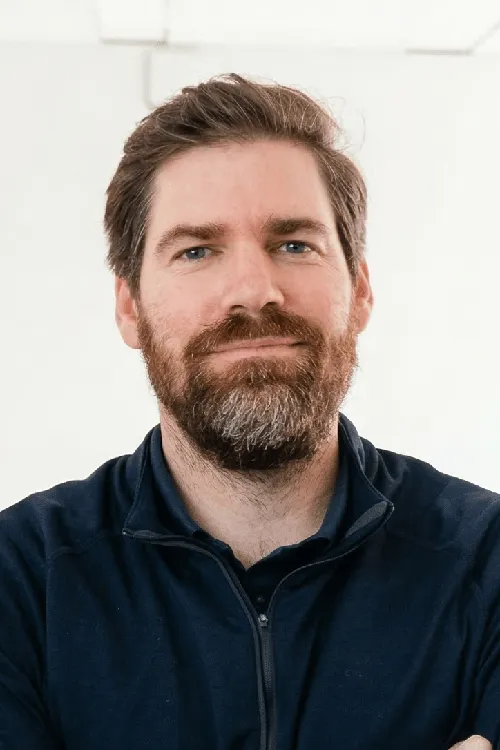
I have spent twelve years bridging 3D research and projects that ship. Research at ULiege and UTwente, ISPRS-recognised work, consulting for mapping, surveying and AEC firms across Europe. The academic side and the field side, kept honest against each other.
The Forge is the part of that work I am handing you to run yourself. Four systems I actually use, given to you as code, with walkthroughs that surface the production decisions nobody writes about because “it is obvious once you have shipped one”. It is not obvious. That is the whole point of opening them up.
The questions I get over coffee.
Everything is built and tested on Windows. Some systems need an NVIDIA GPU with CUDA, in particular the video to 3D Gaussian splat to floor plan reconstruction, which is GPU heavy. Others run on a normal laptop or CPU: the frugal geometric segmentation needs no GPU at all. The text-prompted segmentation and the point cloud to twin steps run faster on a CUDA GPU, and a free Google Colab GPU covers those if your machine has none.
Is this software, code, or a course?
All three, in one. You get a single app with a graphical interface that runs all four systems from the first minute, no coding needed to use it. Underneath, the full source code, so you can change it, extend it, and ship it as your own. And recorded walkthroughs so you understand each engine and can evolve it your way. Software you use today, the code to own it, the know-how to drive it, better than software alone, an SDK alone, or a course alone.
Do I need to know how to code?
No. The app has a graphical interface, so you run all four systems from the first minute without writing a line of code. Plenty of people transform how they work without ever touching the source. The code and the walkthroughs are there for the day you want to go deeper, but you never have to.
What do I get the moment I join?
Instant access to the app that runs all four systems, the full source code, the four recorded walkthroughs, and the membership area. One payment. The three included courses and the source code are yours for life, and the membership runs for 12 months.
What hardware do I need, and which parts need a GPU?
Everything is tested on Windows. The frugal geometric system (System 2) runs on a laptop with no GPU. Some parts do need an NVIDIA GPU with CUDA, in particular the video to floor plan reconstruction (System 3), which is GPU heavy. The text-prompted system (System 1) and the twin step (System 4) run faster with a CUDA GPU, and free Google Colab GPUs work fine for those when you do not have one locally.
What does “you keep the code” mean?
Every system ships as code you own and can fork. No watermark, no rented platform, no per-seat fee. Deploy it under your own product name and extend it for years.
Build Camp or Architect, which one?
Build Camp gives you the app, the four systems, the source code, and the membership. Architect adds the first tier of the 3D AI Architect program: the full Accelerator, the complete course library, and the Neurones 3D software. Pick Build Camp for the engines, Architect for the whole education around them.
Is this a limited offer?
It is our Back to School offer, open to everyone. The price is €797 and it does not move, and the three included courses (Build Camp, Point Cloud Intelligence, Gaussian Splatting for 3D) come with every purchase permanently, for new and returning students alike. One thing does carry a date: The 3D Method Lab, the live 90-minute working session, runs on Thursday 2 October, 16:00 CET (Paris time), and enrolment closes on Tuesday 30 September. After that, the price and the Forge stay exactly as they are.
What is the guarantee?
Build Camp carries a 14-day money-back guarantee. If it is not right for you, write within 14 days of purchase and we refund in full. The 90-day transformation guarantee applies only to the 3D AI Architect tiers, under the conditions set out in section 12 of the Terms of Use.
Pick a door. Start building today.
One app, four systems, and the code underneath, already built and yours to keep. Three courses in every camp, €1,691 of catalogue for €797, permanently and for everyone. One thing has a date: The 3D Method Lab runs on Thursday 2 October, 16:00 CET, and enrolment closes on Tuesday 30 September.
14-day money-back guarantee. Enterprise invoicing: howto@learngeodata.eu
See you in the Forge. Florent
